


A WooCommerce Black Friday checklist should begin with the customer journey, not the banner artwork. A promotion is useful only when shoppers can understand the offer, find the right product, and complete an order. With seasonal campaigns approaching, a focused readiness review helps you separate essential fixes from optional redesign ideas and assign an owner to each remaining task.
What changed in 2026
WooCommerce’s September 2026 campaign guidance highlights how checkout and attribution can be split across different channels. The practical implication is to check where a sale is completed and how it is recorded before comparing campaign results. The readiness checks below extend that operational question to your own store’s checkout, content, performance, and support process; they do not promise a particular sales increase.
Source: WooCommerce guidance on 2026 Black Friday checkout attribution. News context checked November 15, 2026.
1. Begin the WooCommerce Black Friday checklist with an order
Complete a controlled purchase journey using the devices and payment methods that matter to your customers. Check product options, coupon behaviour, shipping, tax display, confirmation messages, and order emails. Use a supported test mode or an agreed controlled live transaction where appropriate; do not assume a staging success proves the live payment configuration is identical. Record exactly what was tested and who confirmed the outcome. Test a failed or interrupted payment as well as the successful route.
2. Make the offer clear before adding urgency
Write down the eligible products, promotion dates, exclusions, stock limits, and any conditions that affect the advertised price. Check that the product page, cart, and checkout tell the same story. A countdown should reflect a real deadline and should not cover important controls on mobile. Avoid creating a last-minute maze of overlapping discounts. If the shopper has to contact support to understand a basic condition, simplify the presentation before sending more traffic to the page.
Example: Hypothetical example: A social post advertises a bundle discount, but the landing page links to separate products without explaining the eligibility rule. Review the campaign link, the visible offer, the cart calculation, and the checkout message together. Test the expected basket and a basket that should not qualify, so the rule is clear in both cases.
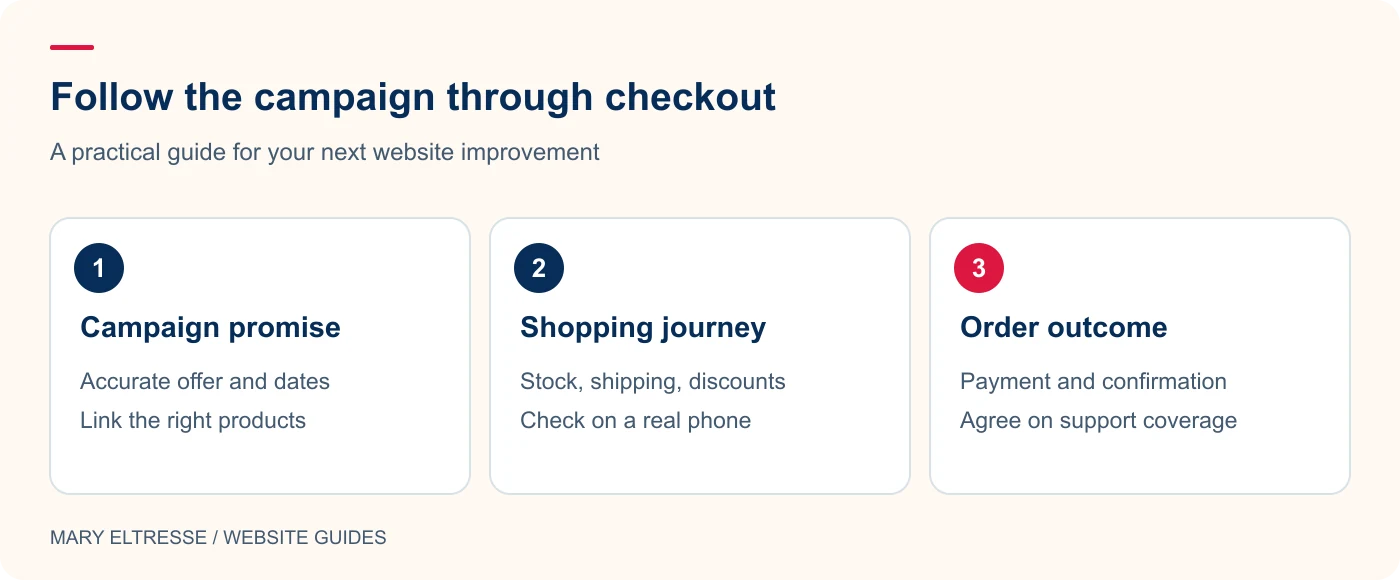
3. Check inventory and operational ownership
Identify who can resolve stock discrepancies, failed orders, customer questions, and refund requests during the promotion. Review whether stock quantities are updated consistently across the channels you use. A website developer should know which issues belong to fulfilment or the payment provider rather than guessing at a business decision. Keep the escalation route short and practical. Include a simple plan for pausing an offer if a product becomes unavailable or a serious checkout problem appears.
4. Review performance on the pages shoppers will visit
Test the campaign landing page, product page, cart, and checkout separately. Keep essential product information visible while using sensible image sizes and avoiding unnecessary third-party widgets. Review added tracking scripts with the same care as other dependencies. Do not cache personalised cart or account content indiscriminately in pursuit of a higher score. The WordPress optimization guide can help organise a performance review, but the final test must include the actual shopping interaction, not just a static landing page.
Example: Hypothetical example: A test order completes but its confirmation email never arrives. Check the order status and email delivery in the appropriate test environment, then verify the agreed production process without creating a real charge accidentally. Assign someone to monitor issues during the campaign, including failed payments, stock changes, and customer questions.
5. Make campaign measurement understandable
Agree on consistent campaign naming and decide where order and referral information will be reviewed. Separate website-completed orders from sales that finish on another platform. Keep the interpretation cautious when the customer discovers a product in one place and buys later through another route. Attribution is useful evidence, not a perfect description of every influence. Record the campaign changes and the review date so the post-sale report can distinguish a tracking gap from a checkout failure or an inventory problem.
6. Prepare support and recovery before the rush
Keep recent backups, identify the technical contact, and agree on what constitutes an urgent incident. A full database restore can discard orders placed after the backup, so recovery needs to account for ongoing sales. Publish clear delivery and support information and confirm that enquiry messages reach the right team. My website-care routine explains why recurring checks matter. Treat your WooCommerce Black Friday checklist as a shared operating plan that can also improve future campaigns.
Your practical checklist
- Complete and document a representative purchase and payment failure.
- Check that product, cart, and checkout agree on offer conditions.
- Confirm stock handling and name an operational owner.
- Review mobile product pages and essential checkout performance.
- Check campaign naming and where each channel completes the sale.
- Prepare clear support, delivery, and escalation information.
- Verify backups and plan recovery around orders placed afterwards.
Frequently asked questions
Should I redesign the whole store immediately before the sale?
Prioritise faults that affect the customer journey and defer optional structural changes when there is not enough time to test them properly. Keep the release scope manageable.
Does a fast landing page prove checkout is ready?
No. Product selection, shipping, taxes, payment handling, email, and order recording need their own checks. Test the complete journey under the configuration customers will use.
Make your next website improvement count
Want help turning your WooCommerce Black Friday checklist into a tested action plan? Contact Mary Eltresse for a focused store-readiness review.